Choosing automation software
Choosing business process automation software
Check how automation software connects your systems, counts usage and transfers between teams. Compare three documented examples and a practical test.
Choose business process automation software by following one task across the systems it must use. Check how work starts, which operations the connection supports, what usage the path creates and what another person would need to maintain it.
An application logo on a connector list is only a starting point. To automate workflows across systems, you may need an update action, a particular field or an event that the available connection does not support.
This guide compares documented details from Microsoft Power Automate, UiPath and Workato, checked on 21 October 2026. They are three examples to investigate, not a ranking or a report of hands-on product tests. The aim is to make a specific buying decision for your Australian business.
Describe the connection your task actually needs
Use an example employee onboarding task: an approved starter form must create an orientation task, then show its completion status in the original record. This is a proposed test scenario, not a customer implementation.
“Connect our forms and task system” leaves several decisions open. Does the workflow receive a new submission or check periodically for changes? Can it create a task, update that task and retrieve its current status? Which identifier links the two records?
Write one connection record for each handover:
- Source and start: [application, record, event and permitted starting state].
- Required operation: [find, create, update, retrieve status or transfer a file].
- Fields and identifier: [values required and the reference joining the records].
- Direction and timing: [one-way or return update; acceptable delay].
- Evidence: [exact connector action, documented limit and test still needed].
Creating a task does not establish that later changes will return to the source. Treat that return path as a separate requirement. Test a changed date and a renamed record, not just a clean first submission.
Keep the existing application in the comparison. If its built-in feature handles the whole route, another platform may add little value. Our guide to choosing an AI approach covers the earlier decision about rules, knowledge and agents. Here, the task is already defined.
Compare three documented connection models
Power Automate: name the trigger and each action
Microsoft describes a cloud flow as starting with a trigger and then performing actions. A flow needs at least one of each to be saved. Its trigger and action guide also shows that actions are selected and configured individually.
For the onboarding example, list the exact start event and the create, lookup and update operations. Ask to see each required field in the relevant connector documentation or permitted test environment.
Being a Microsoft customer does not settle whether the proposed flow fits your account. Confirm the required connector, access and licence context for the actual flow. Low-code platforms still need someone to configure the right operation and maintain its assumptions.
UiPath: distinguish the connection from the process it starts
UiPath's Integration Service introduction describes connectors for third-party applications and triggers that can start processes in Orchestrator.
That creates two separate checks: whether the connection exposes the event or operation you need, and whether the downstream process performs the intended work. Do not accept a successful connection test as proof that the complete onboarding route works.
If a proposal also uses robotic process automation (RPA), identify which steps use application interfaces and which use connectors. Ask what must remain available for each route. The documentation above does not prove that every legacy application, screen or field will work.
Workato: inspect the connector's available operations
Workato's connector documentation separates authentication, triggers and actions. Its examples include a new customer record as a trigger and creating a ticket or updating a record as actions.
Use those categories to challenge a broad integration claim. For the onboarding task, identify the supported trigger, task-creation action and status lookup or update. Check how the chosen trigger receives changes and what happens when the relevant event is unavailable.
Compare business process automation tools at that level. A long connector catalogue cannot establish that a particular operation, field or return path exists. Where the documentation leaves a gap, request evidence or mark the requirement unresolved.
Compare usage rules before comparing estimates
One completed business task is not necessarily one unit of platform usage. A path can contain lookups, branches, repeated records and recovery work. Different automation platforms measure these differently.
Microsoft's licensing FAQ says triggers and actions count towards Power Automate action limits. Successful and failed actions count; skipped actions do not. Retries and extra pagination requests also count. Licence context affects the applicable limits. These rules concern action limits, not a universal price for each run.
UiPath's current Integration Service licensing overview says Integration Service is included with Automation Cloud under Unified Pricing and Flex. Connector calls are not separately metered at this layer. Robot execution, API workflows, and GenAI activities and triggers have their own licensing boundaries. Check those separately when a trigger starts an automation. This does not mean the whole automation is free.
Workato's usage metrics guidance describes capability measures converted into credits, while noting that some plans differ. Eligible workflow action steps count as Tasks. Successful operations before a later job failure can still count, as can eligible reruns. Failed and skipped operations are generally excluded, but an expected error response can count when the operation completes as intended. Other capabilities use their own measures; intelligent document processing, for example, measures pages alongside the workflow's usage without counting that same operation twice.
Ask each provider to translate the same proposed workload into its applicable measures. Confirm the commercial terms for your account separately.
Build a workload record from the actual route
Start with observed business volumes if you have them. Otherwise, label the figures as planning assumptions. Include how many records arrive together and how many need a return update.
For a synthetic example, imagine 40 approved starter records, each creating two orientation tasks. That means 80 intended task creations. It does not establish 80 billable units: lookups, triggers, loops, status checks and each platform's counting rules still need assessment.
Keep these lines separate:
- Normal route: [records, actions per record and scheduled checks].
- Extra work: [pagination, repeated checks, retries and manual reruns].
- Additional capabilities: [document pages, AI steps or other measured services].
- Assumptions: [volume source, applicable account rules and unresolved limits].
Check a quiet period as well as a busy one. If the design checks for changes on a schedule, establish what runs when nothing has changed. Do not assume it behaves like an event-driven connection.
Ask the implementer to show where those usage figures would appear. Keep a sample run reference beside the estimate once testing occurs. An audit trail should let the operator connect a business record to the actions that handled it.
These records support an estimate, not a promised saving. Count staff work left in review and maintenance separately from software charges.
Check what transfers between environments
A working demonstration in a supplier's account is not the same as a maintainable setup in yours. Ask what the transfer mechanism carries, what it leaves behind and what must be configured again.
Microsoft documents package export and import for non-solution flows. That route moves one cloud flow between environments and offers create-new or update choices. An owner or co-owner can export; import requires Environment Maker permissions. Required related resources must be configured during import. Microsoft directs application lifecycle management towards Dataverse and solutions; these package types are not interchangeable. Do not generalise the non-solution package instructions to every deployment route.
UiPath's connection guidance says Solutions can move connections and their relationships, but not authentication credentials. Separate connections can serve development, testing and production. For a custom OAuth application, credential and scope maintenance remains the customer's responsibility. Identify who can reconnect the destination and maintain that app.
Workato's package import guidance says exported packages omit connection credentials. A placeholder may need authentication, or a suitable existing destination connection may be used. Import can also overwrite matching recipes and dependencies. Lookup-table data needs particular care: choosing overwrite replaces its existing data. Updating running recipes also needs the applicable stop and restart handling. Inspect destination changes and restart errors rather than assuming a move is seamless.
The practical comparison is not simply “supports export”. Check whether the next maintainer can restore a usable configuration in the intended environment.
Make the handover test specific
Use a safe test environment and sample records. Keep production destinations out of the first transfer exercise. Have the receiving operator inspect the setup using their normal access.
Complete a transfer record:
- Package and route: [version, export method and intended destination].
- Connections: [destination account, authentication owner and reconnect steps].
- References: [record IDs, folders, fields and endpoints that need rebinding].
- Possible replacements: [existing flows, recipes or data affected by import].
- Verification: [sample run, destination result and remaining manual setup].
Check that the imported workflow points to the test system, not the original account. A successful import message is not evidence that it will use the correct destination.
Then change one sample field and repeat the affected part of the route. Ask the operator to locate the configuration and explain which connection it uses. Record any work that still requires the original builder.
This tests transfer and maintainability. It does not replace a wider security review or prove that a package can move between different vendors.
Keep AI capabilities tied to a particular step
If a proposal includes AI business process automation, name the step that uses a model. In the onboarding example, it might classify a free-text request before a person confirms the task category. The fixed fields and destination updates still need their own checks.
Ask what input the AI receives, which output the next step accepts and what happens when the result does not fit. A proposal that integrates AI should show how that step affects usage and review work.
For document handling, distinguish extracting a value from deciding whether to use it. A readable name or date can still belong to the wrong record. Compare the proposed capability with the actual sample documents, including missing or unclear fields.
Automation may help reduce errors, but the purchase itself proves no such outcome. Record wrong matches, incomplete updates and extra corrections during the trial. Avoid treating faster task automation as evidence of better business operations without checking the result.
Decide from the gaps and work that remain
For each essential requirement, record documented, demonstrated or unresolved. Keep the supporting source or test beside that label. A documented feature is useful evidence, but your account, configuration and particular records still matter.
Choose a candidate only when you can explain the remaining work. That may include a custom connection, a manual review, a scheduled check or someone maintaining credentials. Name the owner and include that effort in the decision.
Reject a route when a necessary operation is unavailable and the proposed workaround removes the benefit. For example, copying every completed task back by hand would leave the return path in our example unresolved.
Our AI consultancy comparison guide helps assess the supplier who would deliver the chosen setup. Keep that commercial review separate from evidence that the software can perform the required operations.
Which tools are best for implementing intelligent process automation in a mid-sized business?
The useful shortlist depends on the exact operations, systems and maintenance capacity involved. Check Power Automate, UiPath or Workato against the same connection record, usage assumptions and transfer test. The documented differences above identify questions to resolve; they do not establish a universal winner.
Business process automation software should leave your team with a workable route and a clear owner for its remaining manual processes. Prefer evidence of that fit over a long feature list.
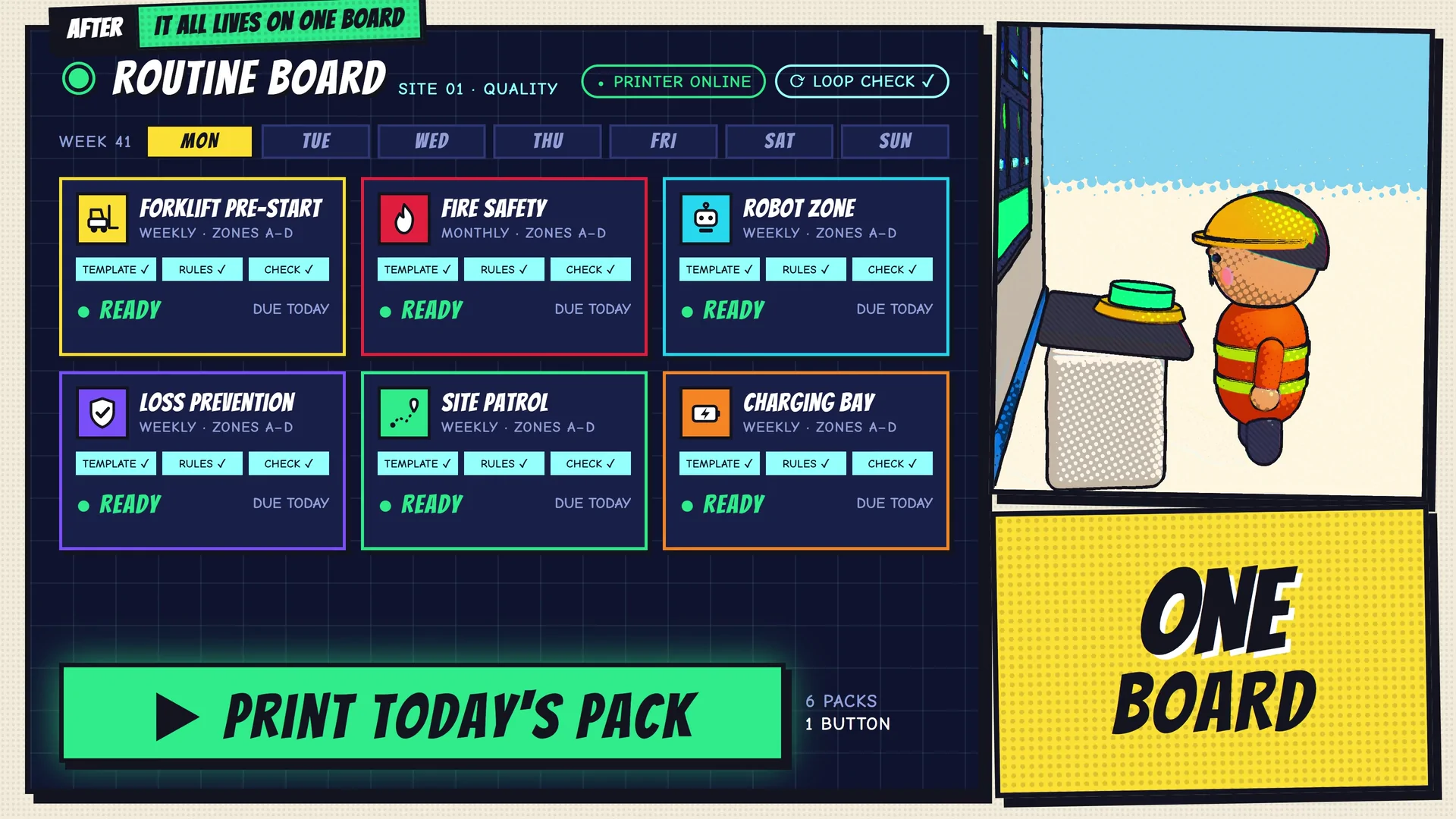
The Monkey Go warehouse paperwork film shows recurring safety forms together on one board, ready to generate and print. It illustrates a focused business workflow, not a demonstration of the three products discussed here.
Talk to Monkey Go about the systems your task needs to connect and the operation that is currently missing.