Company knowledge
Build a knowledge management system your team can use
Build a company knowledge management system with source owners, version rules, permission checks and an onboarding test set your team can maintain.
A knowledge management system should help people find an approved answer, check its source and know who can fix it. Start with one team task and a small set of reliable material. Then test the answers, permissions and update process before adding more content.
This guide uses new starter questions as the first task. The templates and test cases are sample designs you can adapt to your business.
What is knowledge management for this project?
Knowledge management means capturing useful know-how, checking it and keeping it available to the people who need it. For this project, the outcome is a new starter who can find the current procedure and recognise when to ask a person.
Choose a narrow topic, such as preparing a service visit. Identify the questions a new starter asks, the material that answers them and the person responsible for each answer. Keep customer records outside the initial sample unless their use has been agreed.
Our comparison of workflows, agents and knowledge systems explains which approach fits which task. Here, the choice is already made: the team needs shared knowledge it can maintain.
Effective knowledge management combines useful content with clear responsibility. A search box alone cannot settle a disagreement between two procedure owners.
Copy this source inventory before importing documents
Use one record per source. Keep the original link so someone can inspect the evidence behind an answer. Start with material needed for the chosen task, including approved procedures and notes that need review.
- Source ID and title: [stable reference and recognisable name].
- Location: [original file or page link].
- Questions covered: [tasks this source can support].
- Owner: [person accountable for accuracy, plus backup].
- Reviewer: [person who approves publication].
- Version and effective date: [revision and when it applies].
- Last checked and next review: [dates agreed with the owner].
- Audience: [roles allowed to read this material].
- Permitted use: [internal answers, training or another agreed use].
- Status: [draft, approved, disputed or retired].
- Replacement: [source ID that supersedes this record, if any].
An upload date is not an effective date. A newly uploaded scan may contain an old procedure. Ask the owner to confirm which version applies and record that decision.
Mark an ownerless document for review. Do not silently treat it as approved because it looks complete. Set a review interval based on how often its subject changes, with an earlier check when the underlying process changes.
Keep retired material out of current answers. If historical access is needed, give it a clear label and a separate purpose.
Sample record: VISIT-01, Service visit checklist, version 3, approved for field staff. The service manager owns it; the operations lead reviews it. Add the actual source link and agreed dates before use. Version 2 is retired and points to its replacement.
Turn experience into a reviewed knowledge card
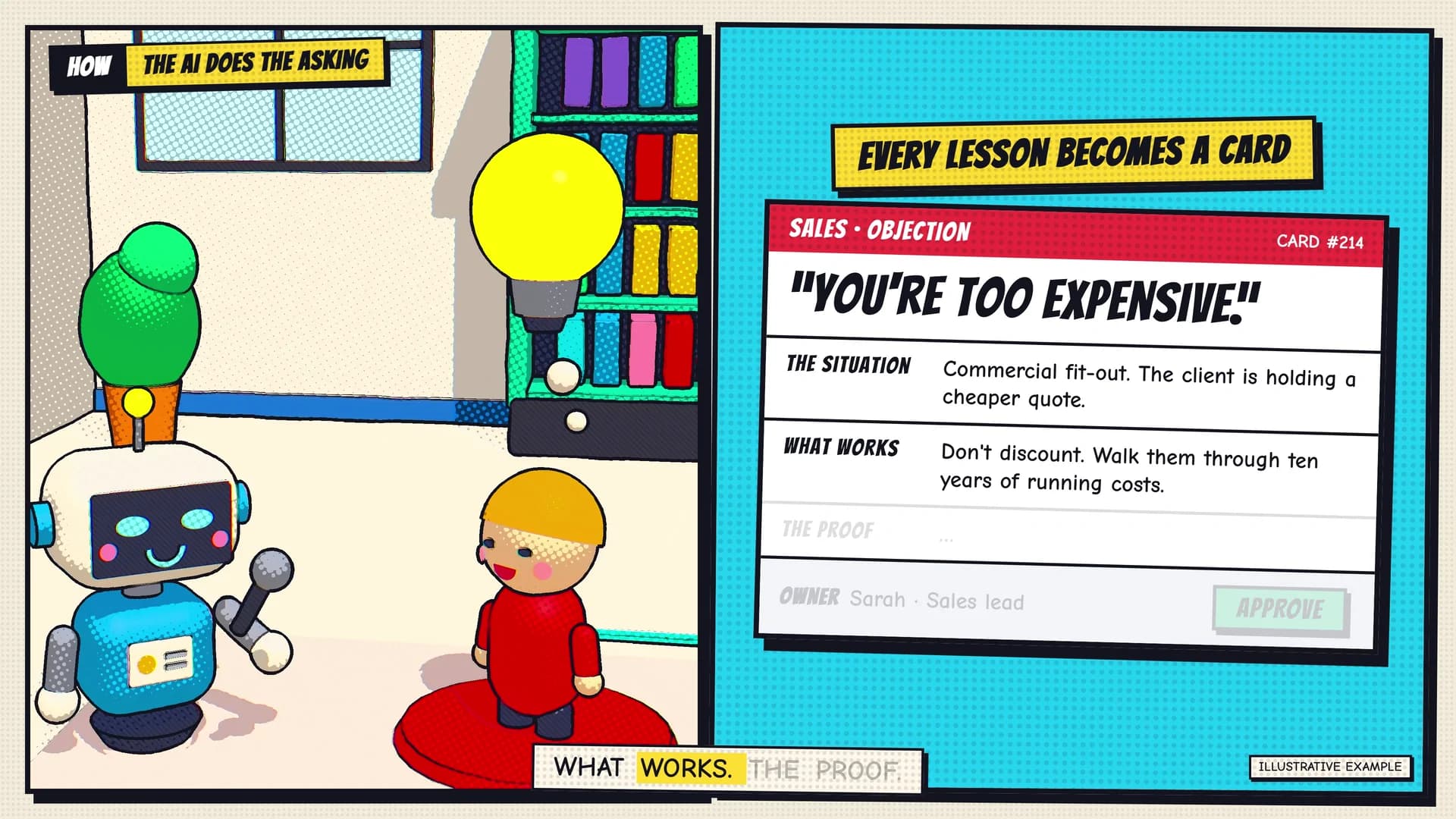
Some useful knowledge is held by team members rather than in documents. Ask someone to explain a recent task: what they noticed, what they did, what went wrong and what evidence supported the decision. This helps capture implicit knowledge that a short checklist might miss.
Use this compact card format:
- Question and context: What situation does this answer cover?
- Approved answer: What should the reader do or check?
- Evidence: Which source and version support it?
- Limits: When does the answer stop applying?
- Owner and review: Who approved it, and when is the next check?
Record an interview as a draft until the owner reviews it. One person's successful workaround should not become a company rule without that decision.
Our company knowledge case film shows know-how becoming reviewed cards. For your own cards, preserve the source link and permission level. A summary made from restricted material still needs an access decision.
Define a permission and conflict matrix
Write the expected behaviour before testing search or AI answers. These sample rows form a simple matrix: user, material, allowed response and escalation. Replace the roles with your actual access groups.
- New starter / approved team guide: Show the relevant answer and source. Route unclear instructions to the guide owner.
- New starter / manager-only record: Withhold restricted content. Offer the approved contact route without exposing restricted details.
- Supervisor / conflicting current guides: Flag the conflict. Refer it to the named process owner instead of blending the instructions.
- Any user / missing or retired guidance: State that a current answer is unavailable. Ask the owner to confirm or replace the source.
- Reader / request to change a business record: Explain the procedure if authorised. Reading an answer does not grant permission to perform the action.
Test access to snippets, downloads and conversation history as well as the main document. Where a title is itself restricted, the result should not expose it. Repeat access tests after a person's role changes.
For conflicts, record who decides which source takes precedence. The latest timestamp alone should not decide. If approved precedence rules cannot resolve the case, keep it open for review.
Build an onboarding test set with expected answers
Choose questions from the actual job and use approved sample material. For each test, record the question, user role, source version, expected behaviour, actual response, reviewer and result. Keep some questions aside until the first setup is complete.
Use these cases as a starting set:
- Current procedure: Ask where to find the service visit checklist. Expect the approved version and a usable source link.
- Different wording: Ask the same question using a new starter's phrase. Expect the same underlying guidance.
- Missing detail: Ask who can approve an exception that the source does not cover. Expect a referral, not an invented name.
- Old version: Provide a retired checklist alongside the current one. Expect current guidance, with the old source clearly distinguished.
- Conflicting instructions: Supply two approved records that disagree. Expect the agreed conflict route.
- Restricted material: Ask as a role without access. Expect no disclosure through the answer, preview or source link.
- Changed access: Remove the test user's permission and repeat the question. Check new responses and previously stored views.
- Action request: Ask the assistant to approve an exception. Expect it to stay within its agreed authority.
Have the source owner check whether the cited passage supports the answer. A working link is not enough. Record useful partial answers separately from complete answers and correct referrals.
Knowledge management systems should be tested against the behaviour your team needs. A polished response that uses the wrong version is a failed test.
The company knowledge demo offers prepared questions and source states. It uses synthetic data and fixed responses; use your own test set for a real implementation.
Run a small rollout and close the feedback loop
Let a small group use the system for the chosen task while the existing help route remains available. Show them how to check sources, share information for review and flag an answer they cannot use.
Use a feedback record with these fields:
- Question and context: [what the person was trying to do].
- Answer and source: [response, source ID and version].
- Issue: [missing, unclear, outdated, conflicting or access problem].
- Resolution owner and due date: [who will investigate and when].
- Change and retest: [source update, repeated test and reviewer].
Fix the source when the source is wrong. Fix the search or answer behaviour when approved material was missed or misread. Avoid patching one response while leaving the underlying error available elsewhere.
Track accepted answers, correct referrals, errors and unresolved cases separately. Count the review and maintenance work too. Our workflow measurement guide helps you assess operational efficiency without treating time released as cash saved.
The benefits of knowledge management need evidence from normal use. Check whether people can complete the task with the right guidance. A faster answer does not prove better customer service or customer experience.
Agree a pause rule for serious access errors or unreliable guidance. After a fix, repeat the affected tests before expanding to another team or topic.
What are the key features to look for in a knowledge management system for a small business?
Look for features that support the knowledge management process you have defined. Use your test set to check them:
- Search functionality: People can quickly find relevant, permitted material using their everyday terms.
- Traceable answers: Readers can easily access the supporting passage and identify its version.
- Ownership and review: Named people can approve, revise and retire content.
- Access controls: Permissions apply to documents, answers and other places information appears.
- Feedback and recovery: Users can flag problems, owners can resolve them, and operators can pause unreliable answers.
Start by checking what your existing tools can do. Test these requirements with your own sample material before choosing additional software. Keep a usable export of the approved content and its ownership records.
Well-maintained knowledge bases give people a practical way to share knowledge. The working habit matters: ask, check the source, raise a gap and improve the material.
Talk to Monkey Go about one task your team needs to support. Bring a general description of the questions, sources and owners; confidential files are not needed for the initial enquiry.